Sand-dancer, redux
Back in March, I re-read my old copy of Aaron Reed’s Creating Interactive Fiction with Inform 7 (first published in 2010 and now sadly out of print). I had just finished writing a text adventure version of my 2025 Christmas Scavenger hunt with Twine and thought, “How hard would it be to re-write Sand-dancer in Twine?” This blog post is to document that process, what worked well, what could be better and hopefully give you some insight into writing an interactive (text) adventure game in both of these systems.
About Sand-dancer, and why convert it to Twine
Sand-dancer was created by Aaron Reed and Alexei Othenin-Girard to illustrate their book. And while it is no longer in print, Aaron’s companion site and the source code are still available, and you can still play the original Inform version at sand-dancer.textories.com. Inform is designed to write parser-based games where you type out what you want your character to do. This in turn is great for puzzle and mystery focused games as you don’t give away anything in a list of options to choose from, but many people find this experience frustrating and it is especially challenging on mobile devices where typing isn’t as easy as on a computer.
Twine excels at making Choose Your Own Adventure style games, where the player/reader makes choices by clicking links. The first challenge in converting to Twine was preserving the puzzles, the second was keeping the immersion of an ongoing, continuous story.
Twine vs Harlowe
Twine, created by Chris Klimas, is the editor and framework for the story. All Twine stories can be saved as a Twee file. Twine has a lot of different story formats (that I think of as languages) that you can use to create your game. Sand-dancer is written in Harlowe by Leon Arnott and is Twine’s default story format. Whenever I say “In Twine…”, I really mean “In Twine, using Harlowe…“.
Rooms vs Passages
The building blocks in Inform are rooms. Type ‘The Kitchen is a room.’ into Inform and you have a perfectly working game that can do a surprising number of things. The building blocks in Twine are passages. Create a passage and title it Kitchen and you also have a perfectly valid Twine story, but it is a blank page. While a lot of things are easier in Twine, much of the work for this project is filling in all of the things that Inform gives you that Twine does not. Passages can have tags that can be used by code in Harlowe to find and treat passages differently based on their tags. Going from one passage to another replaces the older passage with the new. This fits well when going from one room or location to another.
There are no things in Twine
If, in the Inform game above, you type A piece of toast is in the Kitchen, then an item named ‘piece of toast’ will be created. When you go in the Kitchen, it will be described and you can take the toast, inspect it, carry it around, drop it, etc. Twine does not have this concept of a thing or item. Twine passages are used in this system both as rooms (locations) as well as items. Inform also has the built-in concept that an item can be fixed in place, like a tree, or a desk. Items that are not fixed in place can be taken and will show up in the player’s inventory and travel around with them. This system uses the ‘fixed-in-place’ tag to indicate that. A difficulty with this is that clicking on an item (like ‘a brown lizard’) leaves the passage the player was at (outside your truck) and breaks the flow of the story. Clicking a link to return also resets the outside your truck passage and further breaks the immersion.
Phase 1: The Overlay window system
In order to preserve the immersion and keep the text description of where the player is always visible, I wanted to put examining things in its own dialog that would float over the main text. Harlowe comes with a dialog: macro, as well as a named ?sidebar area you can replace or append content to make an ad hoc inventory system. Customizing either of those is limited however, and so I created my own version. The first commit created an overlay passage. The passage defines a $createOverlay method which takes the name of the overlay you are creating, a title, a placement string (‘left’, ‘bottom’, etc), and a style datamap for passing CSS attributes.
The inventory passage begins with (display:‘overlay’)\ to bring in the overlay passage and so import the $createOverlay method and defined $createInventory and $showInventory macros to create a custom overlay window for the inventory that can be shown over the main text window. The header passage is automatically inserted in front of every normal (room) passage and creates a new inventory window and puts a ‘Stuff’ link in Harlowe’s sidebar. Clicking ‘Stuff’ calls $showInventory to show the inventory overlay. This is just a stub so far.
Twine Story Map of Phase 1
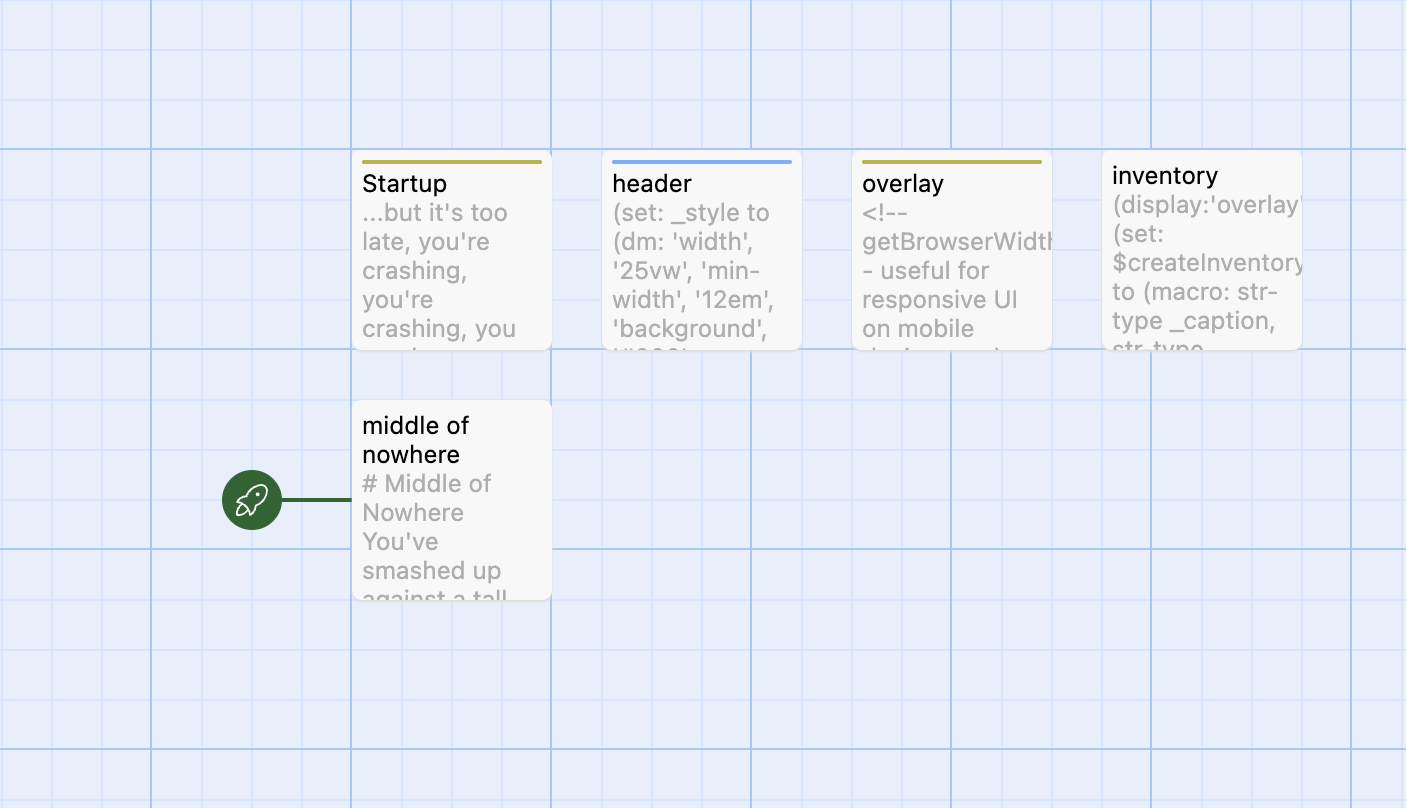
Twine creates a story card thumbnail for each Twine story in your library. The five bubbles represent the five passages so far.

Phase 2: Inventory, memories and emotional baggage
This added the core Inform-style item model into Twine, defining methods to add and move items to named locations (passages, inventory, offstage, or nested containers). This commit is also where I fleshed out the player’s emotional baggage where they can examine memories.
One of the core features of Sand-dancer is that the player has an item in their inventory called emotional baggage - described in the story as ugly, lumpy, and green - with a stuck zipper. Items the player comes across in the story can trigger a memory that is added to their emotional baggage that they can inspect. The ‘emotional baggage’ is a passage that has the ‘fixed-in-place’ tag which prevents the player from being able to ‘drop’ emotional baggage from their inventory.
Memories are passages with the tag memory. This tag is used by the inventory system as a synonym for the fixed-in-place tag. I stubbed in methods that will later be used when examining the items to decide if they can be removed ($itemIsDroppable) from inventory or put into inventory ($itemIsObtainable).
Both the inventory and emotional baggage are examples of containers and this commit added some support for showing the contents of a container (by adding ($youCanAlsoSee:) in the containers passage.
Shortly after this commit I also seeded the player’s inventory with their starting items (a lighter, jacket, wallet, photo, and their emotional baggage).
I also added an empty glove box and a piece of jade to the pickup truck (the player’s starting location). “Grandma’s stories” is a memory that is suggested (added to emotional baggage) by the piece of jade. Normally, the player will need to examine the item to have its associated memory transferred. In the original Inform version, this happens no matter what the player does as their first action, which feels strange to me and, as the player sees it on the first screen, I call $moveToLoc: to move this memory to emotional baggage in the startup passage.
In the playable version below, nothing really happens when you click on the items. Adding examine is the next phase.
Play phase 2 | View code | View diff | Story Map (23 passages)
Phase 3: Examining items
This commit wires those links up so examining an item opens a second overlay — centered over the room text, styled like the inventory panel — while the location passage stays put underneath.
The new examine passage defines $showItem, which (display:)s the named item passage into the overlay and appends action links via $itemLinks. Take, drop, and done prompts are chosen at random from a small pool (“Snag it”, “Grab it”, “Leave it”, and so on), reusing the $itemIsObtainable and $itemIsDroppable stubs from phase 2. Clicking Done closes the overlay; if the player opened the wallet and then the driver’s license, an $itemHistory stack walks them back out one level at a time instead of dumping them somewhere unexpected.
Each item is still just a passage. The examine overlay is the Inform-style “you examine the X” moment; the passage body is the description. Some passages do more on first visit: $first tracks per-item visit counts (because Harlowe’s built-in visits does not work inside (display:) passages), so the glove box can seed a pack of cigarettes, the wallet can populate itself with a license and receipt, and the cigarette pack can initialize $cigs to 6. Examining the receipt or guidebook for the first time moves the associated memory into emotional baggage — the mechanism phase 2 set up, now actually triggered by looking at things.
Nested containers compose naturally. The player examines their wallet, follows the link to the receipt, broods about their shit job, clicks Done twice, and is back in the room. The lighter goes further: its description offers links to report smoking and report lighter passages — fixed-in-place “action” items that live in the overlay like any other thing. Smoking checks whether the player has a lighter and cigarettes, decrements $cigs, and gives a location-aware nudge about what to do next.
NOTE
Smoking a cigarette is Sand-dancer’s hint system, and Aaron himself calls out that encouraging teen smoking may not feel appropriate. I think this fits very well into the in-game world however (as continued reliance on hints or smoking has consequences) and is a novel approach and preserves that immersion I am always going on about.
A stubbed $locationIsLit macro (headlights, flashlight, emergency lights) is in place for when lighting matters more later.
Not everything goes through the overlay. Room features that should unfold in the passage — examining the pickup truck under the player’s knees, revealing the cracked window pane, shoving the boarded-up door — use new $linkPersist and $linkRevealPersist macros so clicked links stay revealed on return visits. That is a different kind of “examine”, but the same immersion goal: the room text accumulates detail instead of resetting.
The brown lizard gets a third kind of revisit logic: $lizardVisits changes the heading from “brown-colored lizard” to “sand-dancer” over repeated looks, and once the player has the guidebook, looking up lizard, brown adds a proper field-guide entry. The folded photo is gated on $broodedMemories — the player cannot face the ultrasound until they have brooded enough elsewhere.
This commit also adds the first outdoor locations (outside your truck, crumbling concrete, weed strewn rust, base of the tower) and threads item links through their descriptions, so there is finally something to explore after the player climbs out of the cab.
Play phase 3 | View code | View diff | Story Map (32 passages)
Phase 4: Break the window
Phase 3 teased breaking the window at crumbling concrete, but punching the glass with bare hands was wisely rejected. This commit implements the first real puzzle chain: get inside the abandoned building, find a light source, and see what is in there.
The break the window passage is an examine target like any other item, but it builds a dynamic list from the player’s inventory. An _itemsToTry macro walks what the player is carrying and splits items into heavy (a lighter, a piece of jade, a rusty tin can) and everything else. Heavy things become clickable links that smash the glass; lighter things get a (link-reveal:) with a dismissive “Like that’s going to break anything.” That is Inform’s “throw X at window” distilled into Harlowe links — the player still has to figure out what might work, but wrong guesses are cheap.
A successful throw sets $windowBroken, moves the thrown item into the new staging area room, and stashes $goToOnDone as ‘crumbling concrete’. When the player clicks Done on the examine overlay, $itemLinks checks that variable and (go-to:)s the room passage so the broken-window text appears immediately instead of leaving them staring at an unchanged facade.
Inside, the building is dark. $locationIsLit from phase 3 was still mostly stubbed — $flashlightOn even defaulted to true — and this commit makes lighting real. Flashlight now beats headlights in the priority order, $flashlightOn starts false, and staging area joins the list of locations dimly lit from outside. Until the player has real light, the staging area passage offers three paths: go back out, use their lighter, or feel around in the dark and crack their shin on something metal (the desk). If they used their lighter to break the window, they still get the option to use the lighter but then pat their pockets and do not find it.
The lighter path is the better solution and report lighter now checks $locationIsLit: in a dark staging area it produces a feeble flicker that highlights a desk at the player’s feet — the same hint text Aaron used in the original. Examining the desk opens a drawer by feel; the flashlight is inside. Taking it and switching it on sets $flashlightOn and (go-to: (passage:)‘s name) refreshes the current room in place, so the staging area description expands from “faint shafts of light” to the full abandoned interior without a separate navigation step.
This commit also repositions several room passages on the Twine story map so their relative directions match the geography described in the text (base of tower, staging area, and the truck vicinity all shift). Minor housekeeping, but it keeps the map readable as the bubble count grows.
The player can now get inside and find the flashlight. The staging area mentions other rooms to the north and east — those come next.
Play phase 4 | View code | View diff | Story Map (35 passages)
Phase 5: Foreman’s office, break room, and the hole
With a flashlight in hand, the staging area links north to the foreman’s office and east to the break room. This commit fills in those interior rooms and adds the first items gated on talents — Inform’s spirit-animal abilities, tracked here as a $talents dataset that starts empty.
The collapsed corner of the staging area floor becomes a hole, with a roll of duct tape hidden at the bottom among cobwebs. Reaching in takes courage; without it, the first attempt flinches away from spider nightmares and later attempts get a flat refusal via a new $afterwards macro — a companion to $first that fires on repeat visits rather than the first one. Once the player has the tape (or examines it after taking it), it is the obvious thing they will need if they decide to patch the fuel line and get out of here.
The foreman’s office is lit by flashlight or, once power exists, emergency lights. A peeling safety poster reveals the emergency radio frequency — $emergencyFreq, fixed at 102.3 kHz — and a rusted key sits on the half-collapsed desk. Examining the key triggers the meeting Ocean memory and uses $goToOnDone to drop the player back in the office when they close the overlay.
The break room holds an emergency radio and a wire mesh cage with an emergency blanket inside. The radio follows the original’s vintage dial: (link-rerun:) opens a Harlowe (prompt:) to tune the frequency, clamped between 67.0 and 109.9 kHz, and a separate on/off switch — but flipping it on does nothing until $emergencyLightsOn is true, at which point $radioIsOn can stick. The cage is a small puzzle with two wrong paths and one right one: without strength, the player can try the rusted key, which snaps off in the lock and removes the key from the game; with strength, they peel back the rusted mesh and take the blanket. I styled Harlowe’s native tw-dialog and tw-backdrop in the stylesheet so the frequency prompt matches the sand-colored overlay panels instead of the default chrome.
Smoking hints grow a longer tail in this commit — break the window, explore by feel, poke around the building, switch on the emergency lights — even though storage room north of the break room is still an empty stub for the next commit.
NOTE
This commit also adds a test passage — an orphan card on the story map, not linked from normal play. Inform has something similar: in debug builds you can run test my-test-name with … and Inform programmatically walks through a scripted sequence of commands — both checking that things still work and landing you in an advanced (or hard-to-reach) game state. My Harlowe version only does the second half. It pre-seeds variables and offers quick links (broken window, flashlight on, spirit-animal talents, jumps into the building) so I could skip past puzzles I had already verified by hand and focus on whatever I was building next. I kept extending it in later commits as new systems came online. It was never part of the shipped game, but it saved a lot of clicking during development.
Play phase 5 | View code | View diff | Story Map (46 passages)
Phase 6: Finish tower vicinity
Phase 5 left storage room as an empty passage and smoking hints pointing at the emergency lights. This commit fills in the rest of the building and the area around the tower — roof, control center, and the supply puzzles that feed into fixing the truck.
The storage room gets a full description keyed off $locationIsLit: flashlight shadows on the shelves, a utility ladder to the roof, dusty cans of food, and a control panel for the building’s emergency lights. Flipping the panel sets $emergencyLightsOn and rewrites room text across the interior — the foreman’s office switches from sweeping a flashlight beam to “stark emergency lights,” and the break-room radio finally has power. The canned-food shelf is its own mini-chain: without a can opener the player cannot pry anything open; with one but without the luck talent they get random moldy horrors via an _noLuck macro; with both, they find mandarin oranges, eat them, and take a second can that triggers the Ocean’s perfume memory.
Above the storage room, roof looks out at the electrical tower. Rusted metal rungs once led to a control booth; reaching them takes either courage (a direct jump to Control Center) or strength to push a metal barrel under the rungs, climb up, and pull themselves across. The barrel puzzle uses separate hooks for weak vs. strong pushes and climbing on the barrel before vs. after moving it — wrong combinations give the player frustration text instead of progress.
Control Center holds a can opener in the trash piles (mostly a dead end) and a gas can hidden under corrugated metal. scent lets the player trace the gasoline smell to the sheet; strength lifts it aside. Taking the gas can adds road trips through the desert to emotional baggage. Together with duct tape from phase 5, the player now has the obvious components for patching the fuel line — though actually earning the spirit-animal talents to reach them is still ahead.
This commit also introduces passage tags Office-Interior and Around-the-Tower to color-code the story map, and tightens lighting: the staging area’s “spring into brightness” line only appears under flashlight, not headlights seeping through the window frame. Outdoor and interior rooms share the same $locationIsLit macro but describe themselves differently depending on the result.
Smoking hints now run through the full building-exploration arc and run out once the emergency lights are on — leaving the player on their own, which feels about right.
Play phase 6 | View code | View diff | Story Map (54 passages)
Phase 7: Memories and story map cleanup
With the tower vicinity puzzles in place, this commit is mostly content and housekeeping — adding the remaining emotional-baggage memories and rearranging the Twine story map so it is easier to navigate as the passage count climbs.
The two new memories are for the bunny’s bow tie that moves her graduation night into emotional baggage on first look and sage for watching Family Guy with Karl. The sage talks about the desert smell and that rain has brought the scent out (a hook for weather later). Both follow the established pattern from phase 3: $first on examine, $moveToLoc into emotional baggage, $itemLink to read the memory.
The standalone Ocean’s baby passage goes away. Its line is folded into the folded photo as a (link-reveal:) inside the ultrasound description, which I thought made for better flow.
Everything else in the diff is tile repositioning. Memories shift into their own row; inventory items, room passages, and infrastructure passages (overlay, inventory, examine, header) spread out so the geography on the canvas matches the geography in the game. No new macros and no new puzzles — just the last brooding content needed before the radio and spirit-animal systems come online.
Play phase 7 | View code | View diff | Story Map (57 passages)
Phase 8: The tower voice on 102.3
Phase 7 wired up the emergency radio’s dial and power switch but not the story. This commit fills in the full conversation inside an emergency radio — no new passages, just named hooks and a local _updateMessage macro that shows and hides beats as the player tunes, powers on, and keys the mike.
The flow follows Aaron’s original: tune to the emergency frequency the player finds from the foreman’s poster, flip the switch once $emergencyLightsOn is true, try the mike, ask what “forty” means, admit you’re lost, and hear the tower voice place the player at station nineteen and warn about the cold front moving in. Finishing the call sets $conversationOver and sets $inPursuit to true. This will be used in the next commit to begin the first spirit quest.
Play phase 8 | View code | View diff | Story Map (57 passages)
Phase 9: Pursuit, open desert, and the burrow
The first spirit quest starts once the player has finished the radio conversation and left the building. They are teased to go out into the desert whenever they are outside (on a passage with the Around-the-Tower tag). Once the player clicks a link taking them to the desert, they are pursued in the open desert passage until they close in on whatever they were chasing and the burrow.
A new footer passage was created, which is automatically appended to every location (via Harlowe’s header/footer tag convention) and (display:)s a pursuit passage. When pursuit is active and the current room is tagged Around-the-Tower, _showPursuit appends a randomized link that teases the player about a shadow out in the desert. All links use (link-goto:)s to the open desert passage.
open desert is the wandering illusion: macros shuffle dust-storm prose and random flotsam, then a nested link-show chain ends in a race toward the burrow. That passage is the first spirit-animal set piece — a shapeshifting Rabbit that asks “do you love her?” and will trade a memory from the player’s emotional baggage for one of two talents: strength or courage (via _memoryList and _tradeLink). The player can also ask the rabbit more about the two talents. When the player decides on the talent, they find themselves in a new backtracking passage, south of the truck with $inPursuit cleared and the line “Look up, Naki.” The radio conversation from phase 8 finally has a narrative consequence: something to chase into the desert.
Also in this commit: bunny’s bow tie is renamed to bow tie due to issues with the apostrophe; backtracking joins the headlights-lit location list; outside your truck links south; and the test passage gains Pursuit and Burrow shortcuts.
Play phase 9 | View code | View diff | Story Map (62 passages)
Phase 10: Rainstorm and weather
The rabbit’s fair trade closes with a warning about a storm on the way. Leaving the burrow now sets $rainstorm to 1. The new weather passage joins pursuit in the footer and describes the rainstorm that starts after the trade. If the rainstorm is over, it randomly reports on the cold night.
Office-Interior rooms get rotating lines from a shuffled $rainDescriptions array via (rotated: $rainstorm, …), and the final step winds the storm down and points at the sage smell.
The staging area passage uses a new $lastVisitedWas macro defined in Startup to decide what text to display when the player enters via crumbling concrete when it is raining, either gratefully getting out of the rain or wriggling through the window as normal.
Another new macro, $itemDefined, was added to inventory so scenery without its own passage can still be examined with a random message (“Not much to say about it”, etc).
Play phase 10 | View code | View diff | Story Map (63 passages)
Phase 11: Sinister radio and temptation
Once the rain stops and the player is back in the office, they begin to hear a sinister voice coming from the radio when they are nearby. The passage sinister radio is added as another display from the footer. This only fires in break room when $sinisterRadio > 0. This one-way conversation is designed to taunt the player and make them question themselves and their talents. The $first:‘radioLeftOff’ handles the “you turned it off” creep factor when the player comes back.
temptation is another addition to the footer hook: once $rainstorm is -1 and the player has visited Control Center, outdoor passages occasionally append a silhouetted figure waving on the horizon — foreshadowing Coyote. The footer becomes a stack of four (display:) modules: pursuit, sinister radio, temptation, and weather.
Play phase 11 | View code | View diff | Story Map (65 passages)
Phase 12: Coyote — chase, fight, and double memory trades
The waving figure from temptation tempts the player back into the desert. When they follow it, $inChase sends them into open desert but on a different path than the rabbit’s. The same wandering macros shuffle dust-storm prose and random flotsam, but the coyote branch is a long nested link-show chain — snarls in the distance, a closing circle, _snarlingCoyotes rotating lines as the pack tightens — until they are surrounded and the scene hands off to the new coyote offer passage. The player can set $fightCoyotes on the way in if they choose to stand their ground; that changes the opening but not whether they meet him.
coyote offer is a $dramaticScene dialogue tree, so the footer suppresses drop links while they are talking. If they fought, the pack lunges and strength or courage drives them off before one coyote stays behind; if they ran, the alpha simply calls the others away. Either way he becomes a guy in sunglasses, the player’s flashlight goes out, and he offers them a cigarette — they can share one (pulling from their pack, or taking his last if they are out) or refuse. From there they can ask about Coyote himself, the rabbit, or his advice; $oneOfCycling rotates the cigarette business on each question so the same lines do not repeat verbatim. When they are ready, “get down to business” leads to the trade: luck or scent, but Coyote wants double the rabbit’s price — two memories, not one. $memoryList lists what is still in emotional baggage; the first pick is taken but the trade is not complete until they offer a second memory on the fair-trade hook. He warns them about Sand-dancer, the last guardian, and sends them back toward the tower with $flashlightOn restored.
Plan tags (plan-item, plan-fixing-the-truck, plan-staying-the-night) mark duct tape, gas, oranges, and the blanket so later systems know which escape plan the player is assembling. $oneOfCycling and $oneOfStopping port Inform’s [one of] text variants. Coyote’s closing line names Sand-dancer as the last guardian waiting.
A separate commit (ddb3171) only repositioned story-map tiles once the spirit-quest cluster grew unwieldy; I folded that into this phase rather than giving it its own section.
Play phase 12 | View code | View diff | Story Map (66 passages)
Phase 13: Sand-dancer — burial, plan choice, endings
The third spirit quest is the title character, Sand-dancer. For the first two spirit quests, the player is teased (‘tempted’ in the original Inform source) to go out into the desert by seeing a shadowy figure. The third spirit quest happens when the player tries to exit the utility building and has any two items needed for a plan and at least three memories (The Sand-dancer will require at least three memories but can swap out items if the player got conflicting items.)
In the original Inform source, the rooms stay the same but the descriptions of what happens are altered. This was going to be challenging in Twine and so I hit on an alternative method - I created mirror versions of each of the utility rooms the player can go to. Each room is a pared down version with descriptions of the building sinking into the sand, sand pouring through the windows and doors and driving the player to the roof, where they will meet the final spirit-animal and make their final trade.
To start this off, I created a $exitWindowLink macro that switches the target passage from the normal ‘crumbling concrete’ (to go outside) to the new ‘staging area-sand dancer’. ‘$exitWindowLink’ calls the new $readyForSandDancer macro to decide if the conditions have been met for Sand-Dancer’s arrival.
The ‘staging area-sand dancer’ has standard Harlowe ‘link-show’ links for all the prohibited exits that describe sand pouring out of them and so leads the player inevitably to ‘roof-sand-dancer’ which acts like ‘the burrow’ and ‘coyote offer’, setting $dramaticScene to true to prevent the player from dropping items or reporting on the weather. I also wanted to focus the player’s attention and so hid the ?sidebar with the inventory link in all the sand-dancer passages.
I needed to change up my prior work with showing the available memories in $memoryList to take a macro instead of a hook name as code needed to run between each trade. Otherwise it followed the same code patterns of the prior two spirit quests.
At the end of the final trade, the player gets a passage describing the building rising out of the sand with the final text being a link to a mirror version of ‘crumbling concrete’, which visually looks the same as when the player first showed up. All links this time lead to the final ‘you go’ passage which lists out their chosen fate.
Play phase 13 | View code | View diff | Story Map (72 passages)
Phase 14: Containers, guidebook pages, and bug fixes
Phase 13 is feature-complete but had a number of minor bugs and needed some code cleanup. This final snapshot combines two commits — 5a683bf (misc bugs) and 9767b9e (UpdateContainer) — into the final game.
The ‘misc bugs’ fixed a number of flow issues but most notably adds the rest of the hints to the ‘report smoking’ section, adds the rabbit and coyote to the guidebook, and adds a darkness passage for visiting areas when the player doesn’t have the flashlight.
The second commit migrated Sand-dancer specific language out of the ‘examine’ passage. In the game, when the player can pick up or drop an object, the button is a random text that matches what the protagonist might say (“Snag it”, “Grab it”, “Leave it”, etc.) To try and make the ‘examine’ passage more reusable in other games, there is now an $addPrompt and $dropPrompt.
I also had challenges with what happens when the player clicks “Done” when examining an item — if the item was in a container, like the glove box, it made sense to me that they would go back to examining the glove box, but the existing logic would also cause them to retrace all their inventory if they clicked on one item after another. I added a ‘container’ tag and used it in an $updateContainers macro to set a global $itemContainers array that is the stack of nested containers. This was complete overkill for this task and I should have just had Done always return the player to the room text, but…sometimes I do over-the-top things.
Another long lasting issue had to do with the ‘$linkPersist’ macros. I wrote this macro when working on a previous game to make a version of Harlowe’s link-replace and link-append macros (also known as ‘link’ and ‘link-reveal’). These macros replace or append text to an existing hook. But if the player leaves that passage and then comes back, the links are reset. That is problematic if they are, say, outside their pickup truck and click examine pickup truck, go somewhere else, and come back to see the old text.
My original code used a counter to create a global ID along with the number of links so far. This was great as it meant the caller didn’t have to make up some unique ID for each link they created. But if there is text hidden and shown inside these revealed hooks, it messes up the logic and fails. I changed it to just use the text in the link with the passage. An example of ‘simpler is better’.
There were a lot of other edge cases. I expanded $itemIsDroppable to be overridden by the flashlight and in dramatic scenes so the player cannot drop the flashlight (which leaves them stuck if they turned it off in a dark place) or dropping anything in a dramatic scene (such as in the burrow) as they effectively have lost it.
I had played around with making actions be both more generic and extendable, the way they are in Inform, but felt I had gotten far enough and needed to ship!
Play phase 14 | View code | View diff | Story Map (75 passages)
A last glimpse of the Twine Story card thumbnail showing the 75 passages. Darker colors indicate longer passages
Reflections
It has been an interesting experiment recasting a parser-based game in Inform to a click-to-choose game in Twine. Aaron and Alexei’s source text comes in at 1508 lines and 147 KB and the Sand-Dancer.twee file comes in at 2508 lines and 127KB, for what that is worth. You are motivated in the Twine editor to not wrap lines and so that may be part of it. I wouldn’t say writing in Twine was more or less easy or difficult than Inform, they both have their elegance and kludgy moments.
I think the final product works well as a text-adventure, different but a similar experience to the original Inform one. But you be the judge!
What follows are some issues I ran into and how I dealt with them.
Harlowe returns and white space
One of the struggles with Harlowe was with the return character. Harlowe, like markdown, keeps returns…sometimes. If you have a macro definition, it won’t keep the returns in the definition, but will keep the last return. But if you in-line macro calls, it keeps them all. In the pursuit passage, you see lines in hooks that end with \ to escape the return character (so you don’t have a lot of blank lines). You don’t need this inside the _showPursuit macro as the only text emitted comes from the (out-data:) calls. (But you do need a \ on the last line of the macro.)
Finally, there are a number of <tw-consecutive-br/> in this passage – an undocumented tag used in Harlowe. When you have a blank line between two lines of text, Twine will use this tag between the two lines, which gives it not quite a line height between. But sometimes, if your blank lines are between two different hooks, it puts in two <br/> tags, which looks odd. So sometimes I needed to use this <tw-consecutive-br/> manually.
Later on, I figured out how to avoid these tags, mostly, but this was one place I never got working. (The general approach is to never end with a blank line and use a blank line after a hook. The other approach is to keep trying!)
Testing and debugging
Use the Harlowe debugger in your web browser to build macros and other components. Test out the macro in the browser to make sure it can handle unexpected inputs.
While Harlowe comes with an editor toolbar which is great for examining the structure and variable as you go, it isn’t the best at helping you figure out how you got there. I added a ($Log:) method that was useful to track the paths through the code, to verify for example, if a macro actually was called, if it followed the code path I expected, etc.
I’ve already mentioned the test passage. I didn’t add that until the fifth commit where I had 46 passages. I will start my next Twine game with that built in from the start.
Hard to track errors
Local (temp) variables not found.
The error ‘There isn’t a temp variable named _myVar in this place.’ is one of the harder-to-track errors. A macro can refer to a local variable (beginning with a _), as long as the local variable is defined before you call the macro. But the scope of a local variable is whatever is the closest container, a lambda, a hook or the passage. This means that if you have some code like (if: _test is 0)[(set: _test to “Frank”)], then _test is only ever defined in the hook. As soon as the hook finishes, the definition goes away. So if you were using this as a one-time setup (say, to randomly sort an array of weather descriptions once in a game), this won’t work. And so I have a lot more global methods and global variables than I would really like (this ‘pollutes’ the rest of the code and so $rainDescriptions is available everywhere, vs the one passage they are defined in.)
If the temp variable is a parameter to a macro, it could be one of several issues:
-
If your parameter is
any-type, then it is possible that you aren’t passing the parameter along. If you have any other type parameter however, you would have gotten the errorThe custom macro, _yourMacro was given nothing, but needs 1 more value. -
Check there is not a colon after the new macro name, aka:
(set: $myMacro: to (macro: str-type _item, […]))This will generate this error about _item as it is trying to run $myMacro as a macro as part of its definition. (As you always call macros with the colon, aka($myMacro: “some text”)), I find it easy to slip and add it when defining.) -
Check that you closed the macro definition with
]))I’ve taken to putting this on the last line by itself to make discovery of this easier. If you forget any part of it, the definition keeps going and produces this and other invalid errors. -
Some other issue inside the code. I will remove the code (other than the
(out:)[”]or(out-data:”)) and re-run to verify the issue is in the code or not. Frequently it will show up elsewhere and just get tripped here. You can also carry the inner code over to the Harlowe debugger to vet it (though you may well have to add a lot of supporting code for that.)
Macros catch errors in params
In some places, you will get an error if you try and pass incorrect parameters to a macro. Other times it just silently fails and then later you will get an error that something (frequently the calling macro) doesn’t exist. So write your macros to take any/no params. See the $Log for an example of handling a variety of inputs (Use (source:) to get a string representation.)
Macro variable doesn’t exist
Sometimes this will show as I can’t call the number 0 because it isn’t a custom macro. implying that there was a semantic error in creating the macro. But frequently it is an error in the caller or some other place up or downstream. Use $Log above to find out how far you get and what is being sent/returned.
It is also possible you changed the name of the macro and didn’t change it everywhere, or you mistyped the macro name.
‘move’ doesn’t remove entries from a datamap inside of macros
Arrays and Datasets have a built in operator ’-’ for subtracting elements, but Datamaps (known as dictionaries or maps in other languages) do not. To remove an entry from a datamap, you are supposed to use (move:) and move it into a temp variable. But this doesn’t work inside a macro!
(set: _radio to (dm:“freq”, 72.3, “status”, “off”))
(set: $removeFreq to (macro: dm-type _d, [
  (move: _d’s freq into _trash)
  (set: $forInspection to _d)
  (out-data:_d)
]))
($removeFreq:_radio)
Not only is freq still in _radio, it is also in $forInspection! (If _trash were a global – $trash, it would have the value of 72.3 however). So even if you had (set: _radio to ($removeFreq:_radio)) it still has the ‘freq’ entry.
Here is a method you can use to remove named entries from a datamap. Don’t forget to call (set:) to update your datamap.
(set: _radio to (dm:“freq”, 72.3, “status”, “off”))
(set: $withoutName to (macro: dm-type _d, string-type _name, [
  (set: _r to (dm:))
  (set: _names to ((dm-names:_d) - (a: (_name))))
  (for: each _n, …_names)[(set: _r’s (_n) to _d’s (_n))]
  (out-data:_r)
]))
(set: _radio to ($withoutName:_radio, “freq”))
Acknowledgements
I’m grateful to Aaron Reed and Alexei Othenin-Girard for both writing the original Sand-dancer and making it freeware and encouraging further adaptation of their work.
I would also like to say thanks to both Chris Klimas for creating Twine and Leon Arnott for writing Harlowe.
Play the complete game | View the final source | Play the original